
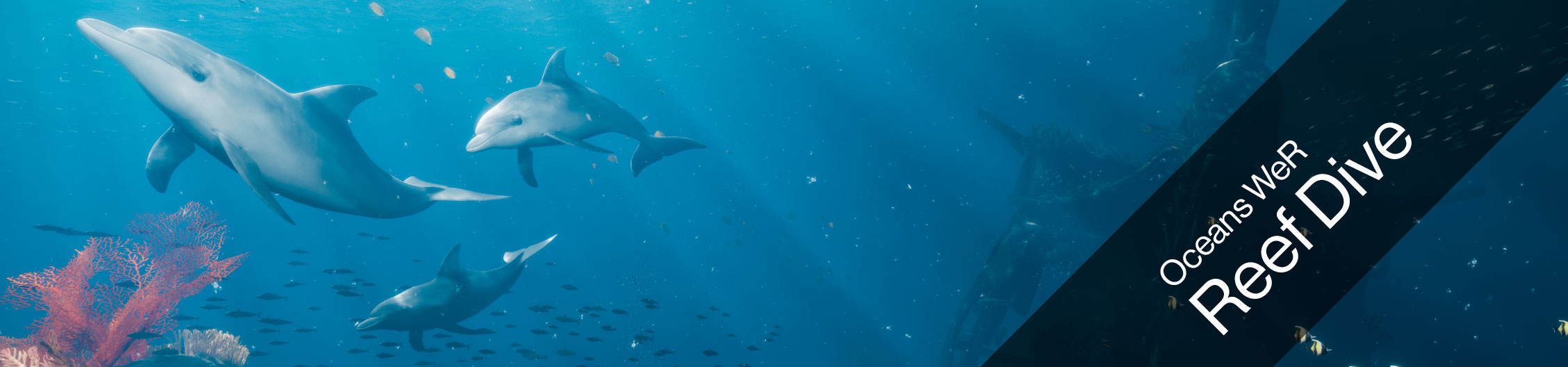
Welcome to the secret cities of the seas. Discover the unique biodiversity of a coral reef. Become friends with the endless variety of beings populating this fascinating world. Swim with a school of dolphins or be awed by the magnificent sight of a giant manta ray. And for the first time on Birdly you can do this together with your friends, as this is a multiplayer experience.
Be an explorer in - Oceans WeR: Reef Dive.
Technical Details
- Filesize: 6.83 GB
- Estimated Download Time: 16h (1Mbit/s), 2h (8Mbit/s), 40min (24Mbit/s)
- Graphic Hardware Requirements
- With HTC Vive: Nvidia 2080 Ti
- With Valve Index: Nvidia 2080 Ti
- Free Disk Space: 20 GB
Multiplayer
- Two Birdlys
- Connected via local network (LAN)
- In the same subnet
Experience Settings
 |
For more information of how to access and edit the Experience settings click here. |
Gameplay
| Settings Name | Settings Info |
|---|---|
| GameSessionTime |
Time in seconds - Change this number to extend the play time for each game. |
Hardware
| Settings Name | Settings Info |
|---|---|
| StandardLandingPosition | Change the height of the get-on position when the Experience starts for the first time. 0 = Low 1 = Middle 2 = High |
Movie
| Settings Name | Settings Info |
|---|---|
| MovieEnabled | true = Idle Movie will play when machine is not in use false = Idle Movie will never play |
| MoviePath | Choose a video file saved on the Birdly computer that you want to play as idle movie. If left blank, it will play the default idle movie. You can also have multiple videos play after each other. For this you have to copy and paste the folder location that contains all the movies. (Example: "C:/User/Birdly/Documents/IdleMovie/") |
Quality
| Settings Name | Settings Info |
|---|---|
| RenderQuality | Change the overall graphic quality of the game. If you are still using old computer hardware, you can reduce the graphic quality for faster game playback. 0 = Low Quality (Birdly V1) 1 = High Quality (Birdly V2, or upgraded V1 computer hardware) 2 = Epic (Only if machine has at least a RTX 2080 TI graphic card installed) |
| TextureStreamingEnabled | N/A - Do not change this setting. Keep it "true" |