
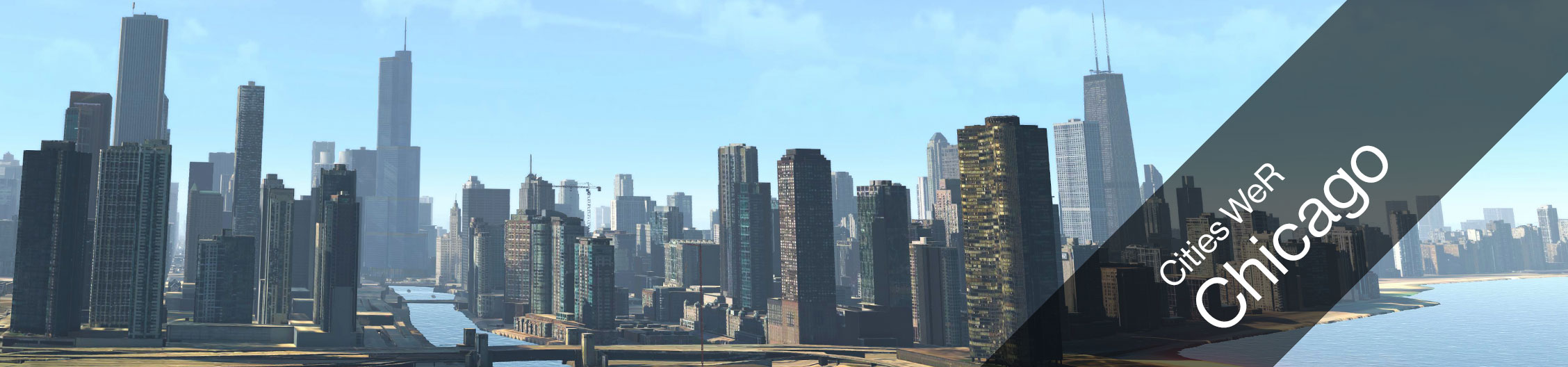
Spread your wings and enjoy the spectacular skyline of Al Capone’s hometown - Chicago. Feel the beating heart of the city while you rush over Chicago River or just enjoy the breeze around your beak as you glide over Grant Park. We welcome you to the Windy City - Chicago.
Technical Details
- Filesize: 3.41 GB
- Estimated Download Time: 8h (1Mbit/s), 1h (8Mbit/s), 20min (24Mbit/s)
- Graphic Hardware Requirements
- With HTC Vive: Nvidia 1080 Ti
- With Valve Index: Nvidia 2080 Ti
- Free Disk Space: 20 GB
Billboard Exchange
If you purchased an additional license for billboard customization, you can find information of how to exchange billboards here: Experience Settings: Billboards
Experience Settings
 |
For more information of how to access and edit the Experience settings click here. |
Audio
| Settings Name | Settings Info |
|---|---|
| MasterVolume | N/A - Do not change. Keep default setting "1" |
Features
| Settings Name | Settings Info |
|---|---|
| BillboardsEnabled | N/A - Do not change. Keep default setting "true" |
Gameplay
| Settings Name | Settings Info |
|---|---|
| DaylightTimeInHours | Change the daylight time in the game. Affects light in game. |
| GameSessionTime | Time in seconds - Change this number to extend the play time for each game. |
Movie
| Settings Name | Settings Info |
|---|---|
| IdleMovieStartsInSeconds | How many seconds the game should wait until it starts the idle movie. Timer starts as soon as headset is not used anymore. |
| MoviePath | Choose a video file saved on the Birdly computer that you want to play as idle movie. If left blank, it will play the default idle movie. You can also have multiple videos play after each other. For this you have to copy and paste the folder location that contains all the movies. (Example: "C:/User/Birdly/Documents/IdleMovie/") |