
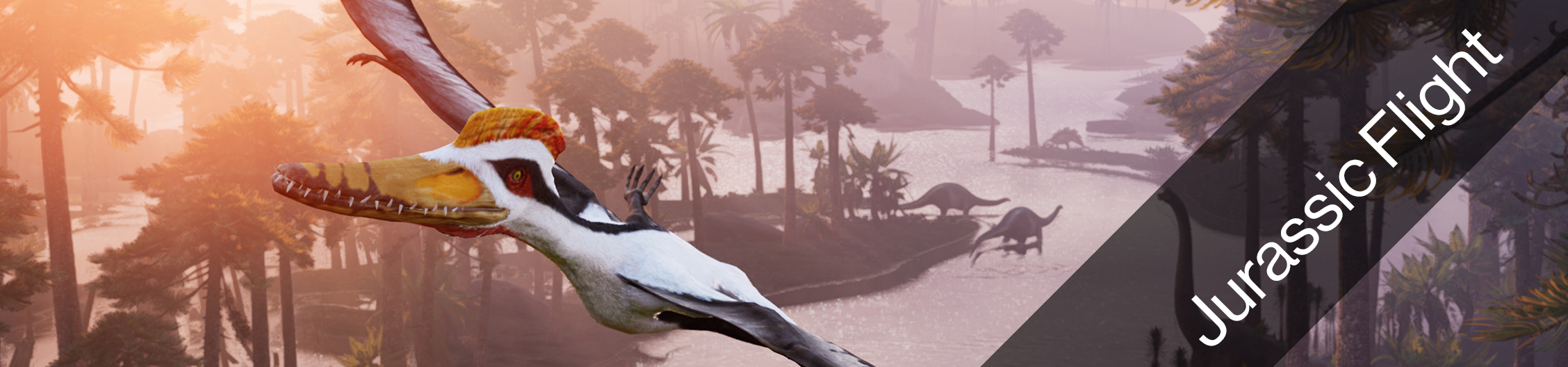
People of all ages have been fascinated by the Dinosaur Era. “Jurassic Flight” is our newest Birdly experience. It invites you to embody a pterosaur, Kepodactylus, allowing you to fly amongst dinosaurs roaming the Earth during the Jurassic time period. In consultation with paleontologists, scientific researchers and museum directors, we created a Jurassic world that allows you to explore the flora, fauna and above all the dinosaurs existing 150 million years ago.
Technical Details
- Filesize: 4.3 GB
- Estimated Download Time: 10h (1Mbit/s), 1:15h (8Mbit/s), 25min (24Mbit/s)
- Graphic Hardware Requirements
- With HTC Vive: Nvidia 1080 Ti
- With Valve Index: Nvidia 2080 Ti
- Free Disk Space: 15 GB
Experience Settings
 |
For more information of how to access and edit the Experience settings click here. |
Gameplay
| Settings Name | Settings Info |
|---|---|
| GameSessionTime | Time in seconds - Change this number to extend the play time for each game. |
Movie
| Settings Name | Settings Info |
|---|---|
| MovieEnabled |
true - Idle Movie will play automatically after a few seconds when nobody is flying with Birdly. false - Idle Movie will never play. |
| moviePath |
Choose a video file saved on the Birdly computer that you want to play as idle movie. You can also have multiple videos play after each other. For this you have to copy and paste the folder location that contains all the movies. |
Quality
| Settings Name | Settings Info |
|---|---|
| RenderQuality |
Change the overall graphic quality of the game. If you are still using old computer hardware, you can reduce the graphic quality for faster game playback. 0 = Low Quality (Birdly V1) |
| TextureStreamingEnabled |
N/A - Do not change. Keep setting on "True". |